How to Audit Your Business Subscriptions (The 30-Minute Method)
Oct 29, 2026By Mandy Corcoran — surface pattern designer and former tech instructor. I build the tools I teach, including PatternPAL Pro.
Quick answer: To audit your business subscriptions, pull 12 months of charges from every card, PayPal, and app store. List each tool in one spreadsheet with its cost, renewal date, and the last time you used it. Then ask three questions: does it make money, save time, or serve a client? Three no's means cancel or downgrade.
Key takeaways
- Subscription creep is the slow pile-up of small recurring charges.
- Business subscriptions hide in several places, including personal cards, PayPal, and app stores.
- A tool earns its spot only if it makes money, saves time, or is needed for a client.
- Annual billing saves money only on tools you've already used steadily for months.
- Your total software cost should be built into your client pricing.
See if this sounds familiar.
Something in your life motivated you to hit reset. Maybe the kids went back to school, or the calendar flipped to January, or tax season scared you straight. Whatever it was, you're serious: this time you're getting organized.
So you download the productivity app everyone keeps talking about. Then a social media analytics tool. Then a meal planning app with a free trial (you can't design patterns on an empty stomach), and a fitness app, because this one's going to stick.
12 months later your card gets hit with auto-renewals, and you haven't opened any of those apps since week two.
This post is for surface pattern designers and creative business owners who who want to cut back on the expense of unnecessary subscriptions, aka subscription creep. All you need is a spreadsheet and about 30 minutes.
What is subscription creep?
Subscription creep is when small recurring charges pile up and become a substantial business expense. They come from all kinds of places (and good intentions). From apps to software, memberships to free trials that auto-converted to paid plans.
Those auto-renewals used to get me every year.
Look, nobody signs up for $100 a year in software on purpose. You sign up for $9 here and $15 there, and each one feels too small to matter. Ten dollars a month? That's basically two coffees.
But $10 a month is $120 a year.
Count your design apps, project management tools, AI tools, cloud storage, email platform, paid newsletter subscriptions, and whatever you signed up for after that "free" webinar.
That number grows sneaky-fast.

I was a programmer before I was a pattern designer, so I love a good tool. But every shiny new app gave me serious FOMO. I kept thinking that I'd find one magical app that was finally going to fix my workflow.
(Spoiler: my workflow was fine. My subscription list was not.)
When should you audit your business subscriptions?
Do it once or twice a year, whenever your brain naturally hits "reset." For most of us that's one of these:
- Back to school, when the house finally gets quiet
- The end of the school year, before summer chaos takes over
- The new year, when everyone's setting goals
- Tax season, when you're staring at every expense anyway
- The start of a new quarter
- Right after a big launch, when you can see which tools pulled their weight
The date that matters more than any of those is the renewal date. Annual renewals are the ones that hurt. Miss the cancel window by one day and you've paid for another full year of something you don't use.
What I'd do is pick one or two reset moments a year and put this audit on your calendar as a standing appointment. Don't count on remembering, because systems beat willpower every time.
How do I find every subscription I'm paying for?
Pull the last 12 months of charges from every place you pay for things, because there's no single list waiting for you. Check:
- Your business credit card and business bank account
- PayPal
- Your Apple or Google Play subscriptions
- Your email inbox (search "receipt" and "renewal")
- Your personal card
Make sure you check that last one. If you're anything like me, sometimes you just grab the closest card to buy something for your business thinking you'll sort it later. This is later.
How do I organize my subscription audit?
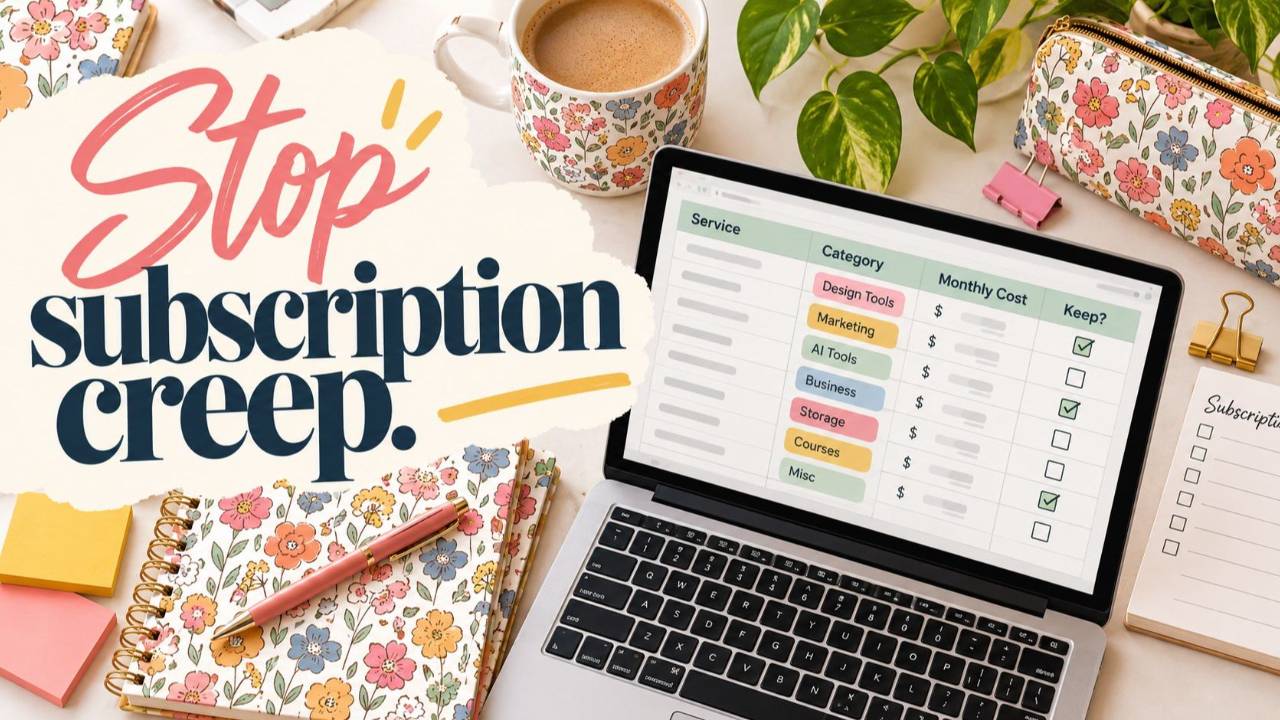
Put every tool in one spreadsheet, one row each, with the same five columns. Here's what it looks like with a few made-up examples:
| Tool | Monthly cost | Annual cost | Renewal date | Last meaningful use | Keep? |
|---|---|---|---|---|---|
| Stock image library | $15 | $180 | March 3 | Twice last year | Cancel |
| Mockup app | $12 | $144 | Monthly | 4 months ago | Check for overlap |
| Email platform | $29 | $348 | Monthly | This week | Keep |
| Cloud storage | $10 | $120 | Annual, June 1 | Daily | Keep |
The "last meaningful use" column might sting a little, but be honest.
This is a good job for AI. If you've got a pile of receipt emails, paste them into Claude and ask it to pull the tool name, price, and billing cycle into a table. Remove any card or account numbers first.
AI handles the boring copy-and-paste, and you make the decisions. (Same rule I use everywhere: AI never touches my art. It runs the admin so I can spend more time creating.)
How do I decide which subscriptions to cancel?
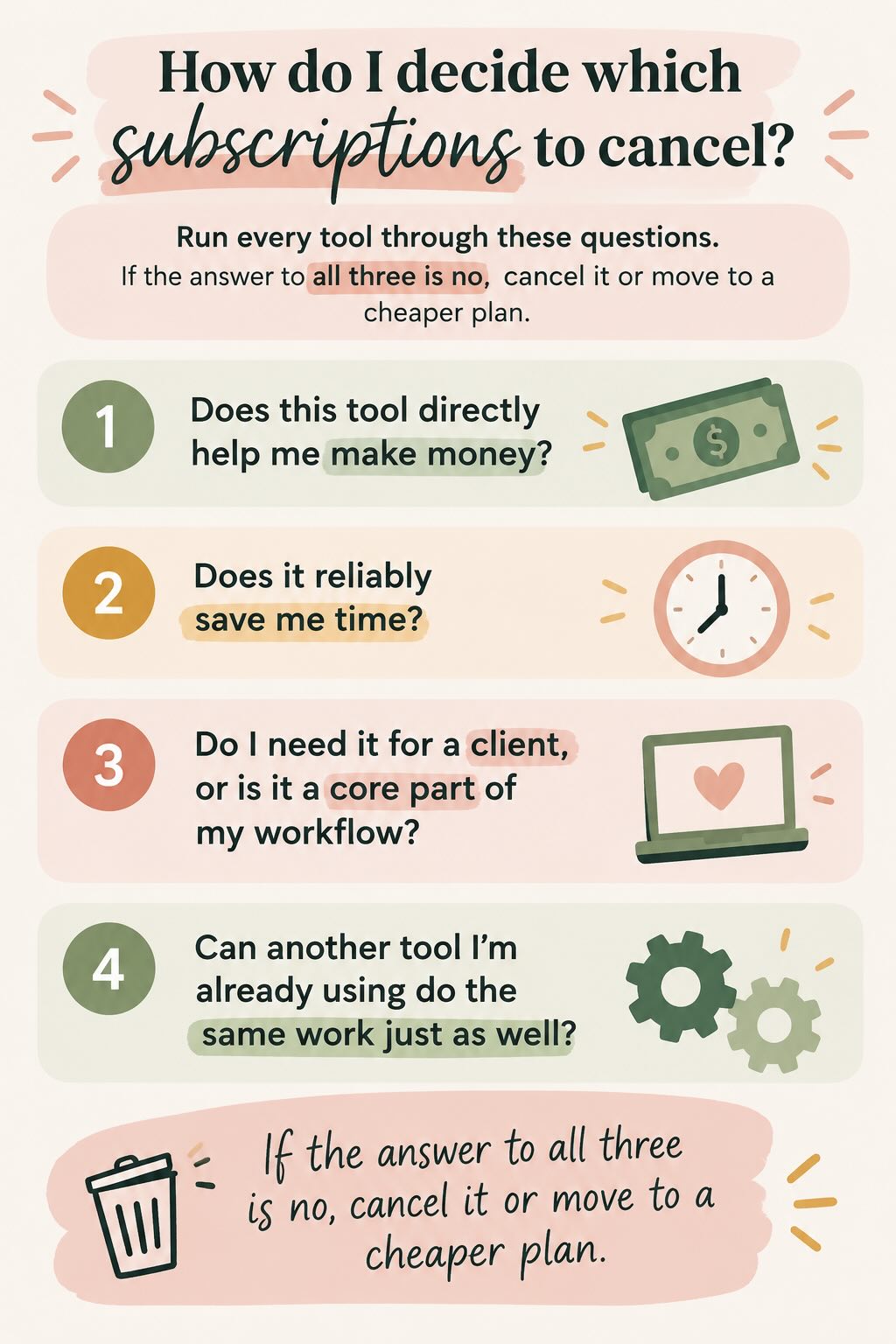
Run every tool through these questions. If the answer to all three is no, cancel it or move to a cheaper plan.
- Does this tool directly help me make money?
- Does it reliably save me time?
- Do I need it for a client, or is it a core part of my workflow?
- Can another tool I'm already using do the same work just as well?
Let's say you're paying $15 a month for that cool-looking project planning tool everyone raved about. You know, the one you used twice last year.
Does it make you money? No. Save you time? Twice, maybe. Does a client need it? Nope.
That's $180 a year. It cost you $60 per use. Cancel it with zero guilt. You can always sign back up if you need it in the future. (You probably won't.)
While you're looking at your design tools, check for overlap. Paying for two apps that do the same job is more common than you'd think.
I would never tell you to do something that I don't do myself. The last time I ran this audit, I found $200 in subscriptions I didn't need anymore. That's a big deal.
Should you pay monthly or annually for business software?
Pay annually only for tools you've already used steadily for at least a few months. Stay monthly on everything else.
Annual billing usually looks cheaper on paper, but it only saves money if you keep using the tool all year. Don't switch just because of a bright "SAVE 20%" banner at checkout. If you stop using the tool in month three, you didn't save 20%. You prepaid for nine months of nothing.
My rule:
- Go annual on tools you've used steadily for a few months or more.
- Stay monthly on anything new, anything you're "testing," or anything you got excited about last week.
And look, you know yourself. If you tend to get hyped about an app and drop it after six weeks, monthly is almost always the safer (and cheaper) bet. You can switch to annual later if it sticks.

How do software costs affect my client pricing?
Your total software cost is a business expense, so your client pricing has to cover it. Here's the math:
- Add up your total annual software cost.
- Divide it by the number of client projects (or billable hours) you expect next year.
Let's say your tools cost $1,200 a year and you expect 20 client projects. That's $60 per project.
That $60 is part of what it costs to run your business. If your pricing doesn't cover it, you're paying your clients for the privilege of working with them.
How do I keep subscription creep from coming back?
Cancelling is the easy part. Keeping your list lean takes a few simple habits:
- Calendar every renewal date, with a reminder one to two weeks before it hits.
- Cancel free trials right after you sign up. Many services still let you use the trial until it ends, so you won't forget and get charged. (Check the terms first, because not every app works this way.)
- Keep the spreadsheet alive. Add new tools on the day you sign up, not six months later. (AI can help you do this.)
Subscriptions don't feel like business decisions, but every single one is. Treat them that way.
Frequently Asked Questions
What is subscription creep?
Subscription creep is the slow pile-up of small recurring charges, like apps, software, memberships, and free trials that automatically reverted to paid plans. Each one feels too small to matter, but together they become a real business expense. A $10 monthly tool is $120 a year, and most creative businesses are paying for a lot more than one.
How often should I audit my business subscriptions?
Audit your subscriptions once or twice a year, tied to a natural reset. Put it on your calendar as a standing appointment. Also add every annual renewal date to your calendar with a reminder one to two weeks ahead, so you can review before the charge hits.
Is it better to pay monthly or annually for business software?
Pay annually only for tools you've used steadily for at least a few months. Annual plans are cheaper on paper, but if you stop using the tool in month three, you've prepaid for nine months of nothing. Stay monthly on anything new or anything you're still testing. You can always switch to annual later once the tool proves itself.
Can I use AI to help audit my subscriptions?
Yes. Paste your receipt and renewal emails into Claude and ask it to pull the tool name, price, and billing cycle into a table. Remove any card or account numbers first. AI handles the boring copy-and-paste. You still make the decisions about what stays and what goes.
Will AI make my patterns for me?
Not in my business. AI never touches my art. I use it for the business side: admin, email, planning, pricing, and systems like this subscription audit. My patterns are drawn by me, in Procreate and Photoshop. AI runs the admin so I can stay in the studio.
Should software costs be included in my client pricing?
Yes. Add up your total annual software cost and divide it by the number of client projects or billable hours you expect next year. If your tools cost $1,200 a year and you expect 20 projects, that's $60 per project. That cost belongs in your pricing, or you're paying it out of your own pocket.
Your next step
You don't have to wait for January, back to school, or any other big fresh start. Pull your last 12 months of charges and make the list. Just the list. That alone will tell you more about your business than another productivity app ever will.
If this audit has you wanting to look at the rest of your business just as honestly, book an Art Biz Audit with me. It's the same idea, applied and personalized to your creative business.
About the author
Mandy Corcoran is a licensed surface pattern designer with a programming degree and 25 years of experience in tech, including a decade teaching network engineering and web design. Her artwork has been sold through HomeGoods, TJ Maxx, and Nordstrom Rack. As the founder of Amanda Grace Design and Creative Systems Lab, she teaches 2,000+ artists how to build smarter licensing and print-on-demand businesses using technology, practical systems, and AI to run their businesses, never to create their art.
Related posts
- Financial Success for Pattern Designers: My Hot Take on Basic Business Finance
- Smart Reinvestment Strategies Every Surface Pattern Designer Needs to Know