Stop Guessing If Your Patterns Are Print-Ready (There's a Tool for That Now)
Mar 05, 2026Last Tuesday night, I was sitting at my desk at 11 PM with a cold cup of coffee and a pattern that looked gorgeous on my screen. Vibrant florals. Perfect color story.
And then I saw the preview.
The scale was off. The seams had a hairline gap I'd completely missed. And the colors that looked so rich on my monitor? They read muddy and flat in the tiled preview. I sat there staring at my screen like my dog stares at me when I tell her it's bath time — confused, betrayed, and a little dramatic about it.
Here's the thing. I've been designing patterns professionally for over 10 years. I've worked with HomeGoods, Nordstrom Rack, and dozens of other brands. And I still have moments where I upload a pattern and think, "Well, that's not what I expected." If it happens to me after a decade, I know it happens to you, too. And honestly? It doesn't have to.
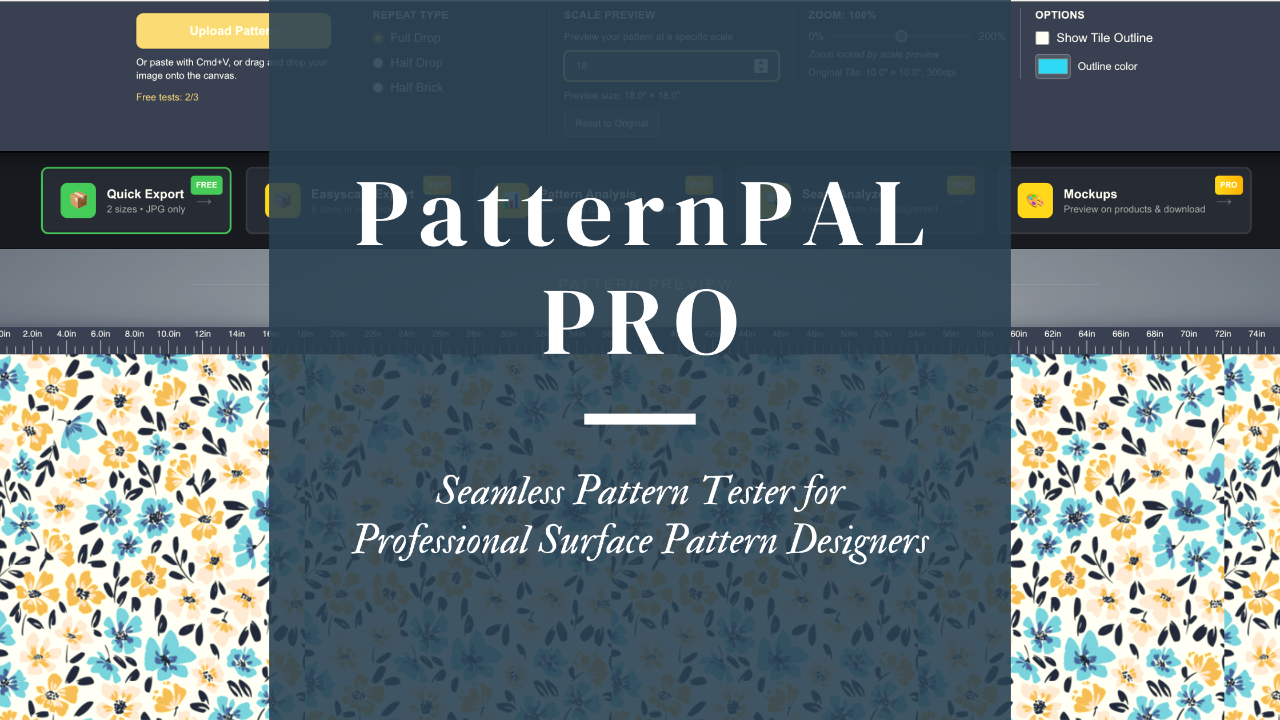
That's exactly why I rebuilt PatternPAL from the ground up — and why I'm so excited to tell you about it.
What Is PatternPAL (And Why Did I Rebuild It)?
Some of you might remember the original PatternPAL. It was a free seamless pattern tester — upload your tile, see it repeat, make sure it tiles correctly. Basic but helpful.
But here's what I kept hearing from designers in my community: "Mandy, I can see it tiles. But how do I know if the scale is right? How do I know my colors actually work together? How do I know this design is going to look the same when it's printed on actual fabric?"
And those are really good questions. Because tiling is just one piece of the puzzle.
So I didn't just update PatternPAL. I tore it down and rebuilt it as a complete pattern validation workflow. The new PatternPAL — and its Pro upgrade — is designed to take you from "I think this pattern is done" to "I know this is print-ready" in minutes.
And before we go any further, I need to address something I know is on some of your minds.
No AI. None. Zero. I Mean It.
I get it. The AI conversation is everywhere right now, and a lot of you have strong feelings about it. Some of you are worried that every new tool is secretly using AI to analyze your work, train on your designs, or do something shady behind the scenes.
So let me be crystal clear: PatternPAL uses absolutely zero AI to generate any of its feedback. Not a single pixel of artificial intelligence is involved in analyzing your patterns. The contrast analysis? That's math — actual color science calculations. The color harmony detection? That's color theory algorithms. The composition analysis? Geometry and spatial distribution calculations. The seam inspector? A visual tool that lets you zoom in and check with your own eyeballs.
No machine learning. No neural networks. No AI models trained on anyone's artwork. Just straightforward, old-fashioned computer programming doing exactly what it's supposed to do — every single time, with no surprises.
I built PatternPAL myself, as a former programmer and a designer. I know what's under the hood because I designed what's under the hood. I wanted a tool that gives you objective, reliable feedback without any of the ethical gray areas that come with AI-powered tools.
Your Patterns Stay Private. Period.
While we're clearing the air, let's talk about the other big concern: privacy.
When you upload a pattern to PatternPAL, it stays private and secure. I can't see it. Mark Zuckerberg can't see it. No one can see your designs but you. Your patterns are not stored on a server somewhere for someone else to browse. They're not being used to train anything. They're not being shared anywhere.
This was non-negotiable for me when building this tool. I know what it feels like to pour hours into a design and worry about protecting your intellectual property. Your work is yours. Full stop.
Now that we've gotten the important stuff out of the way — let me show you what this tool actually does. If you prefer to watch rather than read, I've got a walk-through just for you.
The Free Version: A Seriously Useful Starting Point
You don't need an account, a credit card, or even an email address to start using PatternPAL. The free version gives you three pattern previews right off the bat — no strings attached. After that, you just sign in for a free account to keep using it.
Here's what you get for free:
You can preview your pattern in three repeat types: Full Drop, Half Drop, and Half Brick. You can see it at different scales and zoom in to check the details. And when you're ready to export, you get two fixed sizes — 6" x 6" and 10" x 10" — at 150 DPI in JPG format.
Is the free version limited? Sure. That's the deal. But it's not a bait-and-switch — it's a genuinely useful tool for checking your repeats and getting a quick preview before you commit to anything. If you're just starting out and creating a pattern here and there, the free version will serve you well.
If you want to try it out, you can find PatternPAL HERE. Go play with it. I'll wait.
Why PatternPAL Pro Is Worth Every Penny (and Then Some)
Okay, real talk. The free version is great for dipping your toes in. But if you're creating patterns regularly — uploading to Spoonflower, licensing to manufacturers, pitching to clients, selling on POD platforms — the free version is like trying to build a house with just a hammer. Technically possible, but you're going to want more tools.
Here's where PatternPAL Pro changes the game.
Preview at Any Scale Before You Export
You know that awful cycle? Export your pattern. Upload it. Realize the scale is wrong. Re-export. Upload again. Repeat until you want to throw your laptop out the window.
With Pro, you preview your pattern at any scale — 6", 12", 18", 24", whatever you need — on product mockups before you export a single file. You can see exactly how your design looks on a throw pillow versus wallpaper versus fabric at different scales. No more guessing. No more wasted uploads.
When a client says, "Can I see this at 14 inches?" you don't have to scramble through Photoshop. You just... look at it. Right there. In seconds.
Easyscale Export (A.K.A. Getting Your Hours Back)
This is the feature that makes designers literally gasp when I demo it. And yeah, I know "gasp" sounds dramatic, but I've seen it happen at trade shows.
Here's the old way: A client needs your pattern at 2", 6", 8", 12", 18", and 24". That's hours in Photoshop. Manually resizing. Adjusting DPI. Saving in the right format. Naming files correctly. Doing math you didn't sign up for. It's the kind of tedious work that makes you question your entire career choice somewhere around hour three.
Here's the Pro way: Batch-export up to 8 preset sizes in one click. Choose 150 or 300 DPI. Export as PNG, JPG, or TIFF. Everything comes packaged in a tidy ZIP file with correct DPI metadata preserved for print workflows.
And here's the part that really sets it apart — custom size input. Need a non-standard size? Type it in. PatternPAL Pro automatically calculates the maximum size you can export without quality loss based on your tile's pixel dimensions and your selected DPI. If you enter a size that would require upscaling, you'll see a clear warning so you never accidentally export a blurry, pixelated pattern.
What used to take 3-5 hours now takes about 60 seconds. I'm not exaggerating. I timed it.
Contrast Analysis (Because "It Looked Good on My Screen" Isn't a Quality Check)
We've all been there. You design a pattern that looks stunning on your monitor, and then it prints on fabric and the motifs basically disappear. The contrast was too low, or the colors blended in ways you didn't anticipate.
Pro's Contrast Analysis gives you an objective assessment of your pattern's global contrast — high, moderate, soft, or very low. But it doesn't just give you a label and leave you hanging. Each reading comes with a clear, surface-design-specific explanation of how your motifs will read on fabric, wallpaper, and products. Plus there's an expandable "Learn More" section that teaches you why — when soft contrast is actually a strength (hello, blender patterns), when it's going to cause problems, and how to adjust if needed.
It's like having a print production expert look over your shoulder. Except this one doesn't drink all your coffee.
Color Harmony Analysis
I'll be honest — I used to pick colors based on vibes. "This blue feels right." "That coral goes with... I think?" And sometimes vibes work. But sometimes vibes give you a palette that looks fine on screen and then reads as muddy, clashing, or just off when it's on a product.
Pro's Color Harmony Analysis evaluates your palette and identifies whether it's harmonious, mostly harmonious, clashing, or too similar. If your colors are working well, it even identifies the specific scheme — monochromatic, analogous, complementary, split-complementary, triadic, and more. Each assessment comes with actionable tips and an educational deep-dive on color relationships in surface design.
You're basically getting a color theory education while you work. And unlike that college color theory class, this one doesn't require a textbook that costs $200.
Composition Analysis
Ever stare at a pattern and think, "Something's off, but I can't put my finger on what"? That's usually a composition issue. Maybe your motifs are clustered in one quadrant. Maybe the distribution feels uneven. Maybe it's working perfectly and you're just second-guessing yourself (which, real talk, happens to all of us).
Pro gives you a balance score and identifies your pattern's distribution type: all-over, focal-point, directional, structured, or organic. You get design hints tailored to your specific pattern. It's objective feedback that helps you iterate faster and stop the endless cycle of "Is this right? I don't know. Let me move that flower three pixels to the left for the forty-seventh time."
Seam Inspector
This is the one that prevents those horror stories. You know the ones — you upload to Spoonflower, order a sample, and discover your seams have a visible break. Or you send files to a client and they come back with "the pattern doesn't tile correctly." Instant credibility hit.
Pro's Seam Inspector gives you a visual check of seam alignment for all three repeat types. Zoom in. Pan around. Inspect every edge. Find the problems before they find you.
I learned this lesson the expensive way early in my career, and I never want you to learn it that way.
Full Mockup Access
In Pro, you get access to high-quality mockup images — baby onesie, fabric swatch, wallpaper, throw pillow, wrapping paper, and journal. Customize details like trim colors. Download images for client pitches, social media, or your portfolio.
You know what's more compelling than sending a client a flat pattern tile? Showing them their pattern on an actual throw pillow. It's the difference between "here's my design" and "here's what your product will look like." That's a game-changer when you're pitching.
What Pro Costs (Spoiler: Less Than Your Weekly Coffee Habit)
PatternPAL Pro is $7.99 per month, or $79 per year if you go annual (which saves you roughly two months).
Let me put that in perspective. One yard of sample fabric printed at the wrong scale costs you $15-$30. One round of manual resizing in Photoshop eats 3-5 hours of your time. One missed seam error that makes it into a client deliverable? That costs you something money can't buy back — your professional reputation.
Pro pays for itself the very first time you catch an error before it becomes a problem. Or the first time you batch-export six sizes in 60 seconds instead of spending your entire evening in Photoshop.
How It All Works Together
Here's the part that gets me genuinely excited (and I promise that's not the marketing talking — this is the former programmer in me nerding out about good system design).
PatternPAL Pro isn't a random grab bag of features. It's a workflow.
First, you preview your pattern at multiple scales on product mockups. You see exactly how different sizes change the look and feel before committing to anything.
Then, you validate quality. Run contrast analysis. Check color harmony. Review composition. Inspect seams. Each tool gives you not just a reading, but education on what it means and what to do about it.
Then, you export. You already know which scales work best and that your quality checks are clean. Batch-export the sizes you need at the DPI and format your client or platform requires. Done.
Finally, you present. Download professional mockups showing your pattern on real products. Use them in pitches, portfolios, or on Instagram.
Preview. Validate. Export. Present. That's the whole workflow, and it takes minutes, not hours.
Ready to Stop Guessing?
Look, I built PatternPAL Pro because I got tired of the "upload and pray" approach. I got tired of watching talented designers in my community spend their limited creative hours on tedious technical tasks instead of actually designing. And I got tired of seeing beautiful patterns get undermined by preventable errors that a good tool should catch.
Whether you start with the free version or jump straight to Pro, I want you to have the confidence that your patterns are going to look exactly as good in the real world as they do on your screen.
If you're creating patterns regularly and you want to work smarter — if you want to reclaim those hours you're currently spending on manual exports and quality-check guesswork — PatternPAL Pro was built for exactly you.
Go give it a spin. Your patterns (and your Tuesday nights) will thank you.
xo, Mandy
P.S. Want more tips on building a pattern design business that actually works? My weekly Eduletter: 3,2,1...Let's Design lands in your inbox every Thursday with design education, tech hacks, and business advice — all in one quick read. It's free, and I promise it's worth the inbox space.