Your Tools Don't Define Your Talent (And Two Big Myths That Prove It)
Mar 22, 2026I had three conversations last week that nearly broke my heart. Three different designers — all talented, all working hard — and every single one of them said some version of the same thing.
"I feel like I'm falling behind because I'm not using AI."
"I think I need to learn Illustrator and vectorize everything."
"Every time I go online, I hear about a "must have tool" if I want to succeed."
I wanted to reach through the screen and shake each one of them. Gently. With love. But still — because this kind of thinking is actively costing people creative momentum, and I am done watching it happen.
Here's the thing: the tools you use have almost nothing to do with whether your art business succeeds. Full stop.
 I've licensed patterns created entirely in Procreate. On an iPad. Sitting on my couch with Cheeseball staring at me from across the room. Some of those patterns are in HomeGoods right now. It's not because I used fancy tools. It's because the designs were good and I knew how to get them in front of the right people.
Today we're busting two of the biggest myths floating around the surface pattern design community right now — and then I'll give you the actual, honest rundown on the one scenario where some of this stuff genuinely does matter, so you can stop guessing and get back to designing.
Let's go.
Myth #1: You Need AI to Succeed in Surface Pattern Design
Okay. Deep breath. This one has been driving me up the wall.
Every other day, there's a new post in some Facebook group or design community: "If you're not using AI, you're going to get left behind." And I watch talented designers spiral into panic mode, wondering if everything they've built is suddenly irrelevant.
It's not.
AI is a tool. That's it. It's not a magic wand. It's not a business strategy. And it is absolutely, categorically not a requirement for building a successful art business.
Here's what I know from working with designers for the past 10 years: the ones who are landing licensing deals, growing their Spoonflower shops, and building real businesses aren't doing it because of the tools they use. They're doing it because they've nailed the fundamentals.
Things like:
- A recognizable style that buyers actually remember
- Cohesive collections that tell a visual story
- Pattern flow and composition that works on real products
- A clear understanding of their target market
- Showing up consistently, even when it's boring
No AI tool on the planet gives you those. Those come from you — your creative eye, your practice, your understanding of what makes a pattern work commercially. And no software update is going to shortcut that.
So Where Does AI Actually Fit?
Here's the thing — I'm not anti-AI. I use it myself. But I use it the way I use my washing machine. It handles the tedious stuff so I can spend my energy on the work that actually matters.
Where AI can genuinely help:
- Writing product descriptions when your brain is completely fried
- Brainstorming themes
- Creating mockups quickly for client presentations
- Building spreadsheets to track submissions and follow-ups
- Drafting pitch emails
"But Mandy, AI-generated patterns are everywhere on print-on-demand sites. Don't I need to compete with that?"
Actually, no. And here's why: AI-generated patterns are flooding the market with sameness. Art directors know it. Quality-conscious buyers feel it, even when they can't articulate why. Your hand-drawn, intentionally designed work is your competitive advantage right now. Not your weakness.
The designers who are thriving aren't the ones scrambling to adopt every new tool. They're the ones who got really good at their craft, understood their market, and built systems to get their work seen.
Your Action Step
Next time you feel the AI panic creeping in, ask yourself: "Am I using this tool because it genuinely saves me time on something tedious? Or am I using it because I'm afraid of being left behind?" If it's the first — great, use it. If it's the second — close the tab. Go design something. That's the work that actually grows your business.
If you're ever second-guessing whether your work is actually good enough to compete — with or without AI — Designing With Insight is a free resource I built specifically for that moment. It walks you through how to look at your own work the way an art director would, so you can stop guessing.
Myth #2: You Need to Vectorize Everything to Be a "Real" Pattern Designer
This one has been floating around for years and it absolutely will not die.
I cannot count how many designers I've talked to who believe — genuinely believe — that they have to learn Illustrator and convert everything to vectors before they're allowed to call themselves real pattern designers. Like there's some velvet rope at the entrance to professional pattern design, and the bouncer only lets in vector files.
There isn't.
Raster files — the kind you create in Procreate or Photoshop — are used in professional surface pattern design every single day. I've licensed raster patterns. To real companies that put them on real products. Nobody has ever looked at my work and said, "Love the design, but can you redo it as a vector?"
(Okay, that's happened maybe twice in 10 years. We'll get to that in a minute.)
Why This Myth Persists
There's this old-school idea — and I mean old school, like early-2000s-era advice — that vectors are professional and rasters are amateur. That was vaguely true-ish back when print technology was less sophisticated and file sizes were a bigger constraint.
It's just not the reality anymore.
A high-resolution raster file at the right DPI is perfectly professional for the vast majority of surface pattern applications. Fabric printing, wallpaper, stationery, gift wrap, home goods — raster works beautifully for all of it.
When Raster Isn't Just Fine — It's Actually Better
Is your jam textured, hand-drawn or painterly styles? Raster preserves every brushstroke, texture, and subtle color variation that makes your work look like yours. Vectorizing those organic qualities often strips out the very thing that makes the art special. You end up with something flat. Clinical. Like someone ironed all the personality out of it.
- Watercolor textures? Raster. Those soft washes and bleeds don't translate well to vectors.
- Complex, detailed illustrations? Raster handles intricate details with a precision that vectors can struggle to reproduce.
- Procreate-created patterns? Already raster. Already professional. No conversion needed.
"But Mandy, doesn't vectorizing mean I can scale my pattern to any size without losing quality?"
Technically, yes. But here's what that advice leaves out: if you're creating patterns at 300 DPI at a reasonable tile size — say, around 12x12 inches give or take — you already have more than enough resolution for most product applications. You don't need infinite scalability. You need enough resolution. And at 300 DPI, you almost certainly already have it.
The Real Cost of Chasing Vectorization
Here's what actually happens when designers buy into this myth:
- They spend weeks (or months) learning Illustrator
- They convert their beautiful, textured artwork into flat vector versions
- The converted versions lose the character of the original
- They feel frustrated because the vectors don't look as good
- They decide they need to change their style and now they're wasting time and draining themselves creatively OR (even worse) they conclude they're "not good enough" — when the truth is, they never needed to vectorize in the first place
That's weeks of creative energy poured into solving a problem that isn't actually a problem.
If you're currently creating patterns in Procreate or Photoshop at 300 DPI, you are already producing professional-quality files. Stop worrying about vectorizing and spend that energy creating more collections, building your portfolio, and getting your work in front of buyers.
If you're interested in working more efficiently in Procreate and want a clear, proven system for building collections that are print-ready from the start, my Procreate Pattern Collection Masterclass walks you through the whole workflow — from tile creation to export — so you never have to wonder if your files are good enough. 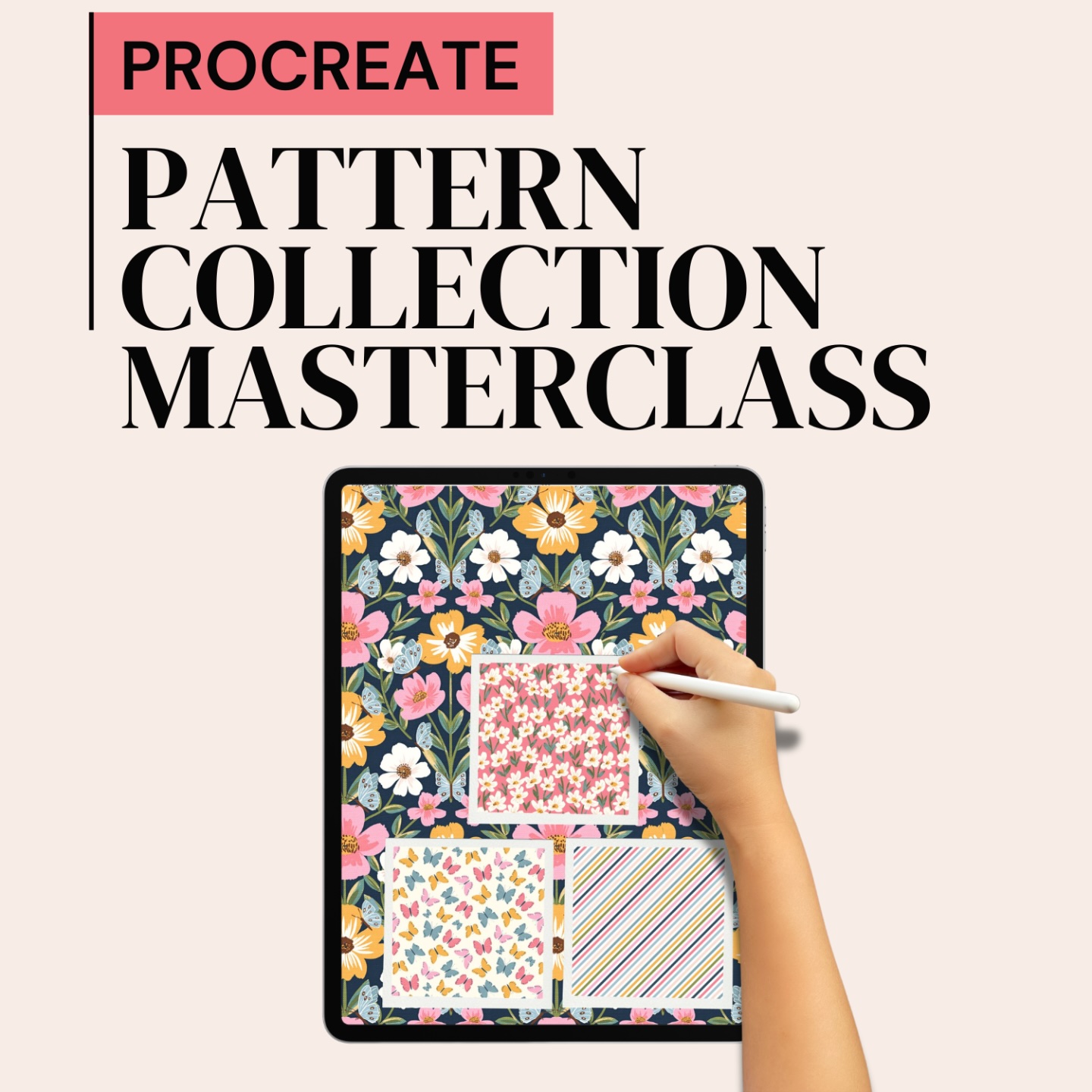
Okay, But Here's When Vectorizing Actually Does Matter
I just spent a lot of words telling you that you probably don't need to vectorize.
I meant every word.
But — you knew there was a "but" coming — there are a handful of specific situations where vectorizing in Illustrator is genuinely the right call. So here's your quick, honest reference guide:
The 5 Situations Where Vectors Actually Make Sense
- A client or manufacturer specifically requests vector files.
This is the most straightforward one. Some companies — particularly in apparel and fashion — have production workflows built around AI or EPS formats. If a client requests vectors, you give them vectors. That's a job requirement for that specific gig, not a universal rule.
- Your design needs to scale to extreme sizes.
Murals, large-format signage, trade show banners. If your design needs to print crisp at ten feet wide, vectors are your friend. Your 300 DPI raster tile won't get you there.
- You're working with simple geometric or graphic patterns.
Clean lines, flat colors, geometric shapes — this is what vectors do best. If your style is more graphic than painterly, vectorizing might actually enhance your work rather than flatten it. Crisp edges and perfect curves are where Illustrator shines.
- You're designing for screen printing or specific textile manufacturing processes.
Some screen printing and manufacturing processes require separated color layers in vector format. The manufacturer will usually tell you upfront if this is the case.
- You're building a scalable motif library.
If you want individual motifs — not full patterns, but the elements that go into them — that you can resize and reuse across dozens of collections, vectorizing those motifs can save you time long-term.
The Quick Decision Framework
Before you open Illustrator, ask yourself three questions:
Did the client request vectors? Yes? Vectorize. No? Don't.Does the design need to print larger than your current file can handle at 300 DPI? Yes? Vectorize. No? Don't.Is the design clean, geometric, and flat-colored? Yes? Vectors might enhance it. No? Keep it raster.If you answered "no" to all three — close Illustrator and go make more art.
💡 Pro Tip: If a client requests vectors and your work is painterly or textured, have an honest conversation with them. Many art directors don't realize that vectorizing hand-painted work degrades the quality. Once you explain this and provide a high-res raster file, they're often perfectly happy. The vector request is sometimes just a default on their intake form, not an actual production requirement.
The Real Takeaway
Your tools don't define your talent. Not the software. Not the file format. Not whether you've jumped on the latest AI trend.
What actually defines your success? The quality of your designs, your understanding of the market, and your willingness to show up and do the work — consistently, imperfectly, and on your own terms.
The most powerful tool in your business is the one between your ears. Everything else is just a way to get what's in there onto a canvas.
So the next time someone tells you that you need a specific tool to make it — ask yourself who benefits from you believing that. Then close the tab. And make something beautiful.
And hey — if you want a steady stream of no-nonsense design education (myth-busting very much included), I'd love to have you in my corner every week. Subscribe to the 3,2,1...Let's Design Eduletter and I'll show up in your inbox every week with one hack, two tips, and zero AI panic.