How to Build a Brand That Walks Into Rooms Before You Do
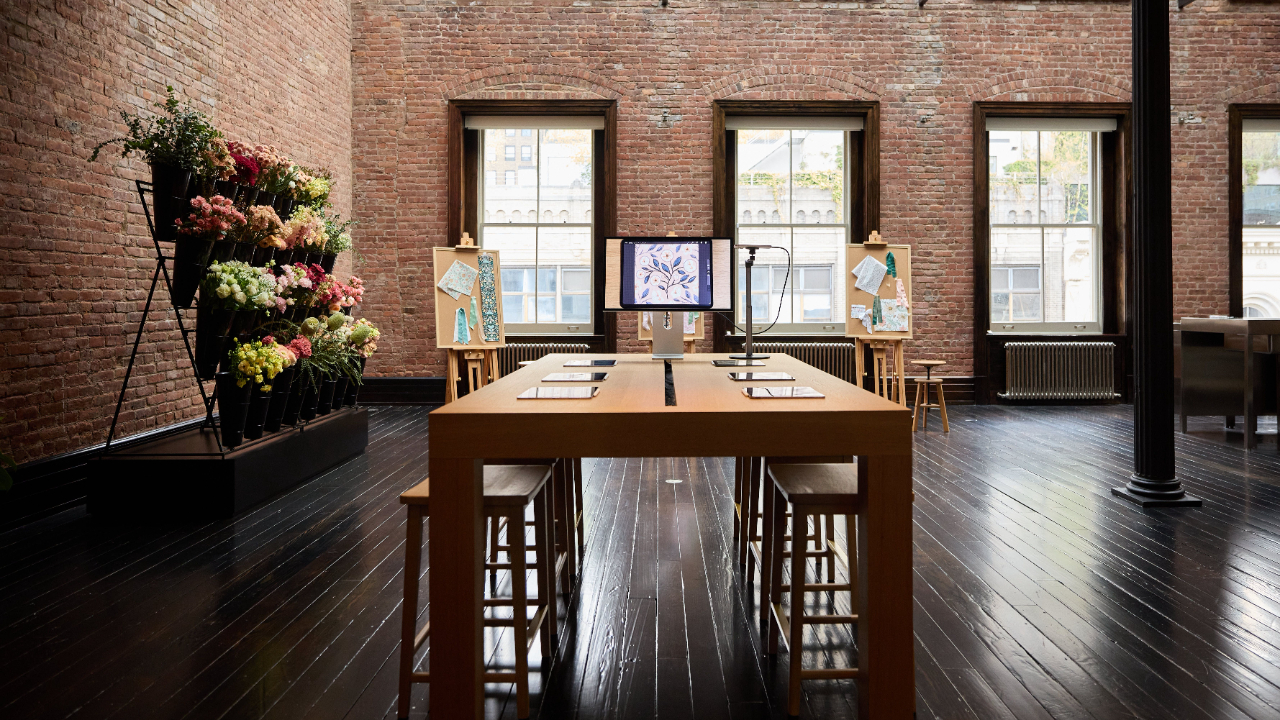
Apr 25, 2026I walked into a room in New York City last week and stopped dead in my tracks.
Fresh flowers everywhere. Glass vases lining massive shelves. A flower stand straight out of a movie. My fabrics pinned next to blooms that matched my palette exactly. Soft, feminine, whimsical — it looked like someone had reached into my brain and built it into a physical space.

Apple had styled a teaching studio for me. And they hadn't called to ask what colors I liked. They just... knew.
Because my brand was so clear and consistent that a major corporation could look at it and replicate its feeling without any input from me.
I'm still processing that, honestly. But I also knew immediately: there's a lesson here for every designer trying to figure out their brand and make it land in just the right way.
Branding isn't your logo. It's not your color palette (though those matter). It's a feeling that travels with you — into your portfolio, your social feed, your pitch emails, and apparently, the rooms people build for you when you're not looking.
Here's how to get yours that clear.
A Simple 5-Word Exercise
Apple didn't need a 10-page brand guide to build that studio. They needed five words.
Soft. Floral. Feminine. Whimsical. Joyful.
Every single design decision for the studio they built for me, from the colors to the flower stand, flowed from those five words.
Here's what I want you to try right now. Grab a sticky note (or open your Notes app, whatever you'll actually use) and write down five words that capture the feeling of your design work.
Try not to be too concrete. Go for emotion. How does it feel?
Dreamy? Bold? Earthy? Playful? Sophisticated? Modern? Moody?
Write the first five that feel true and stop there. It's okay if it's not perfect. You can refine them later. I've refined mine over the years.
Once you have those five words, you have a useful tool. And it can help you make decisions because it makes a really easy-to-use filter.
Before you finalize a pattern or pitch or do anything you can run it through your five words. Does what you're about to do feel like those words? If it does, it belongs. If it doesn't, you've got your answer: cut it, tweak it, or set it aside.
This is honestly the simplest editing framework I've ever used. It's easy to understand and easy to use. It helps you stop second-guessing decisions and start filtering with clarity.
Struggling to come up with five words? Go look at your three best-selling patterns or your most-saved posts. What do they have in common? You can even crowd-source them by asking on Instagram.
The Stranger in the Room Test
If that 5-Word exercise wasn't your jam. Here's a second, more imaginative one.
Imagine a stranger who has never heard of you walks into a room showcasing your brand. Imagine your patterns on the wallpaper and throw pillows. Your colors in the lampshades, vases, more throw pillows. (Can you really ever have too many?) You get my point.
Now ask yourself, would this stranger know it was yours? Or would it just look like... someone's stuff?
The goal is to make your brand unmistakable.
The Emotion Behind Every Successful Brand
Buyers make split-second decisions. Licensing reps, Spoonflower shoppers, Instagram scrollers. They're feeling your work. It happens so fast, most people aren't even aware of it.
Using the five word test or the stranger in the room test helps you create brand consistency, which, in turn, eventually creates instant brand recognition. You know that consistency everyone talks about (including me)? In your portfolio and your social media feed. Yeah. This is how you get it.
How to Show Up When All Eyes Are On You
Okay, so now fast-forward in your career. You've been using your five word filter. Your aesthetic is clear. And then — an opportunity. Maybe it's a brand collaboration or you're invited to teach a workshop.
Suddenly that brand you've built on a screen has to translate to a room full of real people looking at you.

Here's what I've learned from working with Apple, Procreate, and other brands over the years. Showing up professionally in face-to-face situations matters just as much as your portfolio.
Know your intro before you need it. When someone else introduces you as a featured creator or brand partner, there's this instinct to downplay it. Don't. Practice receiving a professional introduction gracefully. A simple smile and "thanks, I'm excited to be here" is enough.
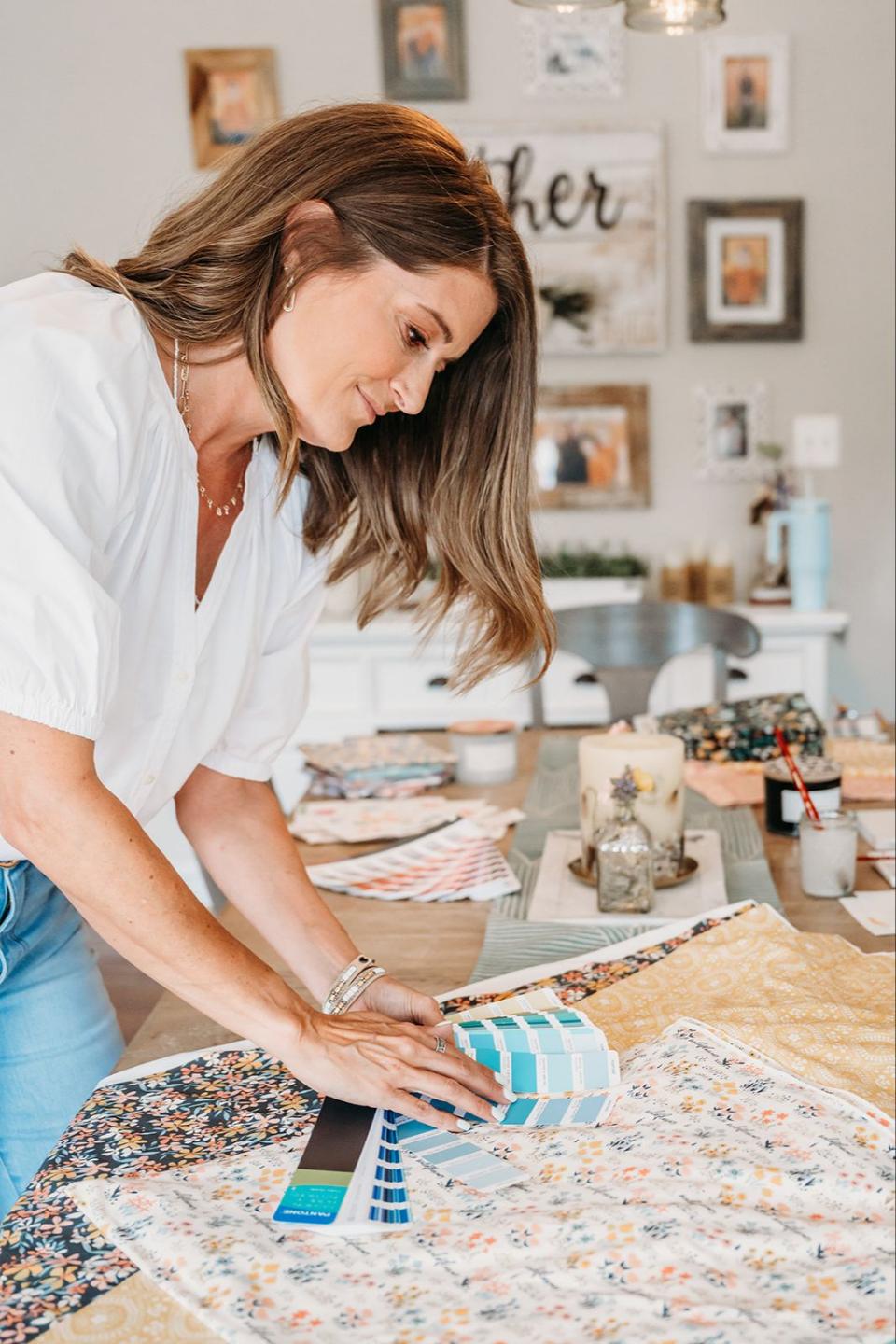
Stay on-brand especially when you're on camera. Those five words apply to your in-person presence too. The clothes you wear, the way you talk about your work, the confidence in your voice — all of it communicates your brand. I leaned into pink. I talked about flowers. I was fully, unapologetically me — and it coordinated with the studio they'd built for me before I arrived.
Your brand does the work ahead of you.
When you're the expert, act like it. This is the skill nobody teaches you: how to hold authority gently. Know your stuff. Speak it plainly. Trust that you belong wherever you are right now. These opportunities don't come to people who are still waiting to feel ready. They come to people whose brands are clear and consistent. The right doors open.
Yours can too.
Pro Tip: Your online brand and your in-person presence should match. Before your next professional opportunity run a quick check: does how I show up in real life feel like my five words?
If you want to dig deeper into building the business foundation that makes moments like these possible — the clarity about who you are, who you serve, and what makes your work unmistakable — my free 5-day email course, Master the ABCs of Your Art Biz, is a great place to start.
Tech Hack: Apple's iPad Update Is Worth Your Attention (Back Up First)
Speaking of Apple — they just dropped a significant iPad update, and if you're a Procreate designer, this one is genuinely worth pausing to check out.
The big news: a new windowing system. You can now resize, tile, and stack app windows — much more like working on a desktop computer. Which means your iPad just got a whole lot easier to use as a professional workspace.
Running Procreate, a reference photo app, and your file manager at the same time — without everything disappearing into the void? Yes please.
Here's how to get started:
- Back up your files first. To your iPad's built-in backup AND to iCloud or an external drive. I know you've heard this before. I'm saying it anyway because I've seen too many artists lose work over a botched update.
- Check for the update under Settings → General → Software Update.
- Install it, then take a few minutes to explore the new windowing system. Open two apps side by side. Resize them. Stack them.
Pro Tip: Once updated, try opening Procreate alongside your photo reference app. You can drag reference images directly into your canvas without switching apps. That alone is worth the update.
Your iPad was already a powerhouse. Apple just gave it some desktop energy. Use it.
Let's Wrap This Up
Five words.
That's where this all starts. Just five honest words that capture how your work feels — and the discipline to run everything through them.
When your brand is that clear, it goes ahead of you. It shows up in how buyers describe your work, how collaborators introduce you, and — in my case — in the flower shop someone builds before you walk through the door.
Write the five words. Run your last three posts through them. See what you learn.
And if you want practical tips like this delivered straight to your inbox every single week, come join us over at the Eduletter — it's free, and it's where the good stuff lives.