
How to Know If Your Surface Pattern Repeat Actually Works
May 18, 2026I have a very specific memory of the first time I sent a pattern file to a print-on-demand platform and got it back looking like a nightmare. Like, a genuine, what-is-that-seam, who-approved-this situation. The repeat tile looked perfect on my screen — I zoomed in, I zoomed out, I held my iPad at arm's length like that was going to tell me something. My cat Cheeseball watched me with his usual indifference. And then the printed swatch arrived and I could see every single repeat line from across the room.
Seamless repeat problems are sneaky like that.

Here's what I wish I'd known then: the issue wasn't my pattern. It was that I had no reliable way to test my repeat before it went out the door. I was eyeballing it. And eyeballing a repeat is about as dependable as asking Cheeseball for her professional opinion.
So. Let's fix that. Whether you're prepping files for Spoonflower, pitching to a licensing client, or uploading to your own print-on-demand shop — here's how to know if your surface pattern repeat works.
What 'Works' for a Seamless Repeat
Before we get into the how, let's get clear on the what. A surface pattern repeat that "works" passes three tests:
- The seams are invisible — no harsh lines or color breaks where tiles meet.
- The motifs don't create awkward groupings — no weird faces, no "wait, is that a..." moments when the pattern tiles.
- The repeat reads consistently at scale — what looks balanced at 100% doesn't turn into a polka dot disaster at 25%.
That third one trips people up more than you'd expect. A repeat can look absolutely beautiful at one size and fall apart when it's scaled down for a baby onsie or scaled up for wallpaper. Which is why checking your repeat at multiple scales is non-negotiable.
The Most Common Repeat Problems
By the time you're done with a pattern, you've spend hours looking at it. Hours. Your brain tends to fill in gaps and smooth out problem areas. It's just how the human brain works. We aren't great at objectively evaluating something we've been working on for a long period of time.
The most common issues I see when reviewing student patterns? Edge bleed (a motif that bleeds off one side but doesn't reappear cleanly on the other), unintentional clustering (motifs that pile up in one corner once tiled), and value inconsistency (areas that read as too light or too dark once the repeat multiplies across a surface). All three are fixable, but the catch is, you can only fix what you can see. Which means testing.
How to Test Your Repeat
Okay, let's get practical. Here are the methods I've used:
Tile Test in A Design App
If you're working in Procreate or Photoshop, the first test is free and takes about 45 seconds. Create a new canvas that's 3–4 times the size of your repeat tile, then manually duplicate and place your tile in a grid. Copy. Paste. Align.
Look for the seams. Look at the corners. Now zoom out to about 25% and look again. Then zoom to 200%. If you can clearly see where one tile ends and another begins at any of those zoom levels, you have a seam issue.
This catches the obvious problems. It won't catch everything — which is why you need...
Tile Test in a Dedicated Repeat Pattern Tester
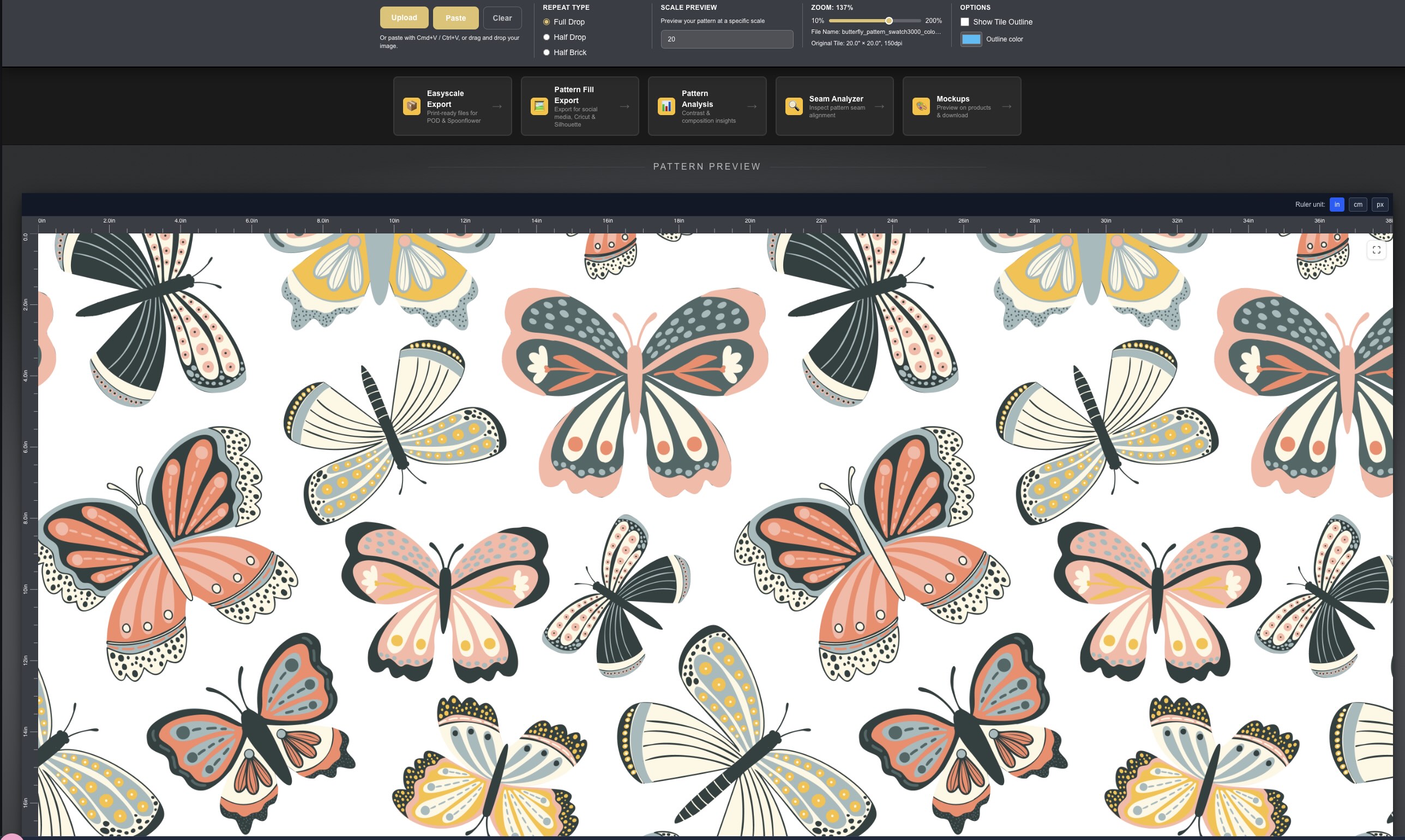
A repeat pattern tester — specifically one built for surface designers — will show you your repeat tiled. It lets you check it at multiple scales and often lets you preview it on product mockups.
I built PatternPAL Pro to do this. You can upload your file, see it tiled in seconds, and spot issues that are invisible when you're looking at a single tile. The free version works great for basic testing; the Pro version adds mockups and more advanced checking features. If you're submitting files to clients or uploading to Spoonflower, this step is not optional.
Check Your File Specs, Not Just Your Design
A pattern can look flawless as a design and still fail at the file level. Wrong DPI for the platform you're uploading to. A canvas size that doesn't match your print dimensions.
Before any file leaves my computer, I check: resolution (usually 300 DPI for print), color mode (RGB for Spoonflower and POD platforms), and canvas dimensions. These aren't sexy checks, but they prevent expensive mistakes.
How to Check Your Design Flow
You can have a technically perfect repeat with invisible seams, balanced motifs, spot on specs and still have a pattern that doesn't quite work.
Why? Because style consistency is different than technical accuracy. Your repeat might tile beautifully, but if the weight of your linework changes across the tile, or your color palette shifts in saturation in one corner, or your motif scale feels off relative to the background — the pattern will look slightly "off."
I think of this as the difference between a pattern that tiles and a pattern that flows. Tiling is a technical achievement. Flowing is a design one.

Three Questions to Ask About Design Flow (aka Style Consistency)
- Does my linework (or brush texture) feel consistent across every motif in the tile — or did I draw some elements on different days with slightly different energy?
- Does my color palette stay consistent in value and saturation, or does one area of the tile read warmer, cooler, lighter, or darker than the rest?
- If I removed all the motifs and looked only at the negative space, would it distribute evenly — or does most of the "white space" cluster in one area?
These questions are harder to answer on your own than the seam checks. This is exactly the kind of feedback that makes a real difference when you get an outside perspective on your work.
If you want a structured way to self-critique before asking someone else, the Designing With Insight workbook walks you through a market-readiness evaluation for your patterns — including the style consistency questions that are easy to miss when you're too close to your own work. It's free, and it's genuinely useful.
When to Ship (And When to Keep Working)
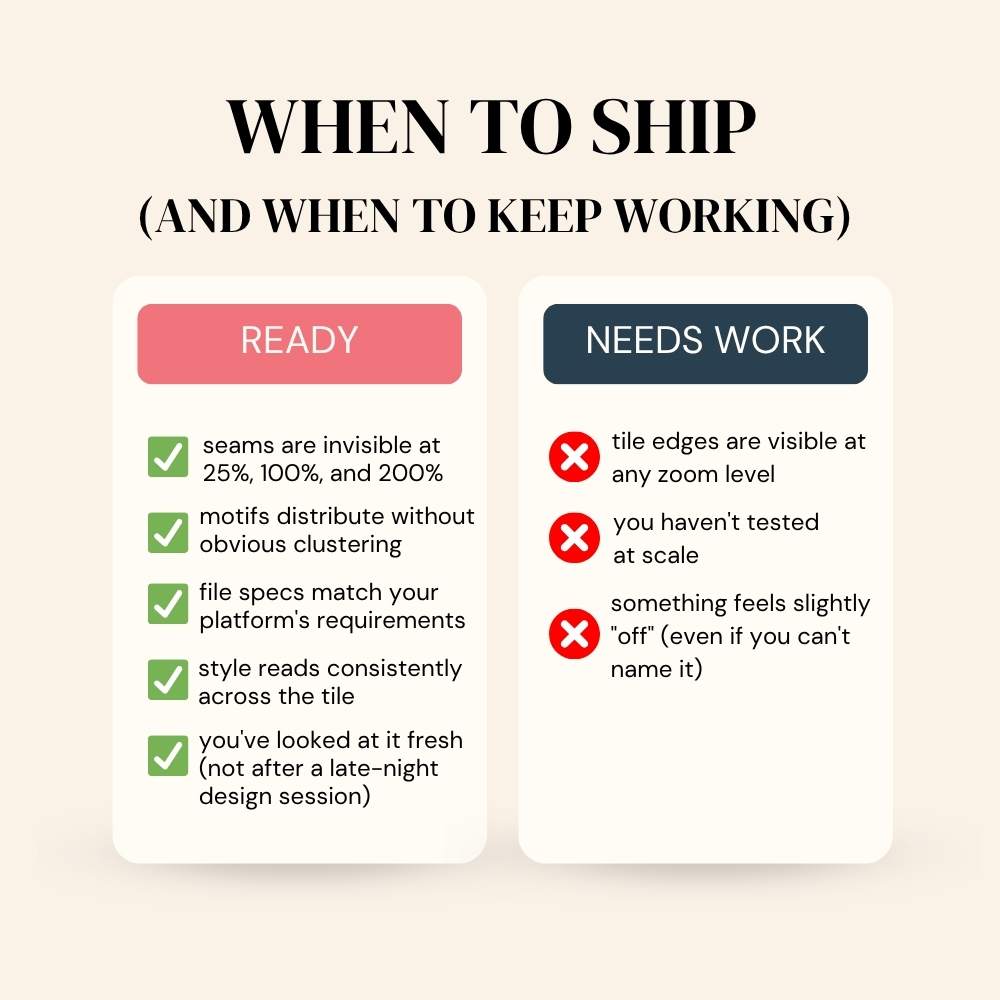
Okay, so you've run the tile test, you've used a pattern tester, you've checked your file specs, and you've gone through the style consistency questions. Here's how I think about the send/keep working decision:
Send it if:
- seams are invisible at 25%, 100%, and 200%
- motifs distribute without obvious clustering
- file specs match your platform's requirements
- style reads consistently across the tile
- you've looked at it fresh (not immediately after a late-night design session)
Keep working if:
- tile edges are visible at any zoom level
- something feels slightly "off" (even if you can't name it)
- you haven't tested at scale
The hardest part of this decision is that "almost ready" patterns often need one very specific fix. Training yourself to identify what the fix actually is, rather than just feeling vaguely unsatisfied, is one of the most valuable skills you can develop.
Tiling It Like It Is
You know I can't resist a terrible pun. But kidding aside, here's your take-a-way: repeats don't just magically work.
Run the tests. Check the specs. Get outside perspective — whether that's a pattern tester tool, a structured self-critique, or a fresh set of eyes from someone who knows what to look for.
Then submit with the confidence of a seasoned pattern design pro.